

A new self-hosted project lets you rehearse technical interviews against a local LLM — scored, with AI follow-ups, and now by voice. It went from first commit to voice-capable in twelve days, and it has four GitHub stars to show for it.
What GrillKit Does — and What It Is Not
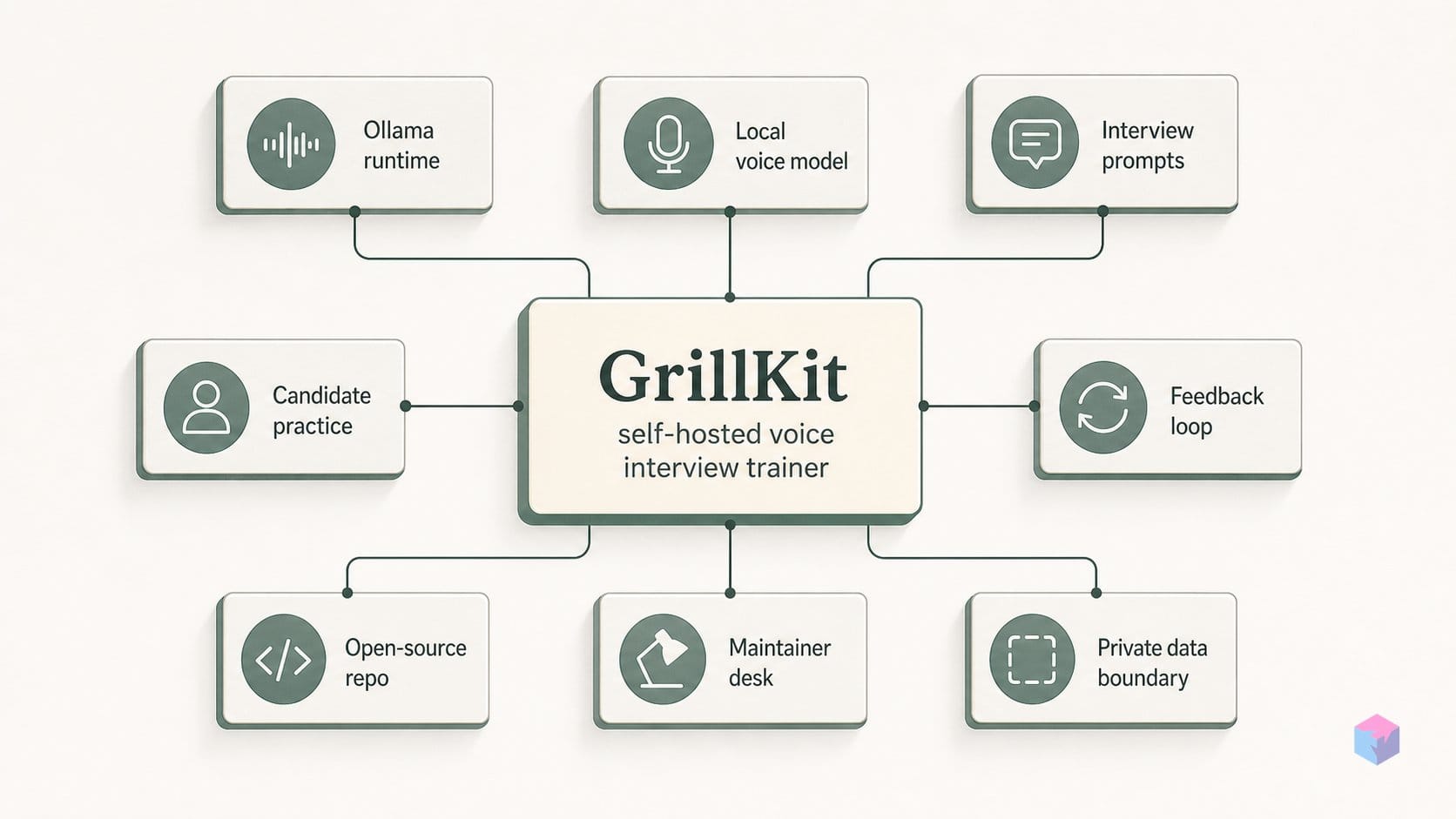
GrillKit is an open-source, self-hosted technical-interview trainer that runs scored mock interviews from curated YAML question banks and connects to any OpenAI-compatible LLM . It is candidate-side only: a practice tool for the person preparing, explicitly not a recruiting ATS or a hiring-side screening platform . If you are looking for something to filter applicants, this is not it.
Each session is a WebSocket-driven conversation built around a fixed plan of N questions. Per question, the model can generate up to 2 AI follow-ups, and answered rounds are graded on a 1–5 scale; a round whose timer expires can be scored 0 . A local dashboard keeps your past sessions, and setup lets you choose track, difficulty, topics, and question count .
The model backend is deliberately open. GrillKit talks to any OpenAI-compatible /v1 endpoint — Ollama at http://localhost:11434/v1, vLLM, or cloud OpenAI — so you can keep everything on your own machine or reach out to a hosted provider .
It is also genuinely new. The project is Apache-2.0 licensed, with its first public commit on May 20, 2026 . By the 2026.5.31 release on May 31, it had moved from text-only mock interviews to a voice-capable trainer — audio answer support, a WAV upload API, and Record/Send controls — in under two weeks . As of June 2, 2026 the repo sits at 4 stars, 1 fork, 11 commits, and 3 releases — early-stage by any measure . Worth a look, with expectations set accordingly.
How an Interview Session Flows
A GrillKit session is a configured loop: you set the parameters once, then answer a fixed list of questions while the model probes each answer before scoring it. Before anything starts, a setup form lets you choose the track, difficulty level, topic, and the number of questions in the round . That question count becomes the session's plan — N planned questions, served one at a time rather than as a static quiz.
Each question is delivered over a WebSocket connection, which is what lets the interview feel conversational instead of form-based. After you answer, the LLM can generate up to 2 AI follow-ups for that question before the round closes . Those follow-ups are where the trainer earns its name: a thin first answer gets pressed for specifics before the round is allowed to end.
Scoring is per round and deliberately coarse. Answered rounds are scored on a 1-to-5 scale, and the response and follow-up exchange feed that judgment . An optional per-round countdown timer — added in the 2026.5.24 release — changes the stakes: if the timer expires before you respond, that round is scored 0 automatically rather than left blank . Leaving the timer off keeps the session self-paced, which is the better default while you are still learning a topic.
The data side is where GrillKit's self-hosted posture shows. Session history, per-round scores, and the full follow-up transcripts are written to a local SQLite database, surfaced through an on-device dashboard of past sessions . The only network call that leaves your machine during a session is the request to the configured LLM endpoint; nothing is written to an external service beyond that API call .
That design has a practical consequence worth flagging: your transcripts are only as private as the model you point at. Route the session through a hosted provider and your answers travel there; route it through a local endpoint and the loop stays entirely on your hardware — the configuration choice covered in the next section.
Voice Input via Whisper: Record, Upload, and Transcribe
Voice input in GrillKit is a fully local speech pipeline: you speak your answer, it is captured as a WAV file, and an offline faster-whisper model transcribes it on your own machine — no cloud speech API is involved and no audio leaves your hardware. The feature arrived in release 2026.5.31, dated May 31, 2026 , which added Record and Send controls directly to the interview page alongside a WAV upload API .
The mechanics are straightforward. Hit Record, answer aloud, and Send posts the captured WAV to the upload endpoint. faster-whisper turns the audio into text locally, and that transcript is what the scoring loop and follow-up generator actually consume. Because transcription happens before the LLM call, the Whisper path works with any text-capable model you have configured — the model never sees audio in this mode, only the transcribed string. This is the broadly compatible route: it does not require a multimodal endpoint.
The earlier 2026.5.24 release laid the groundwork, shipping offline Whisper voice input and optional Piper TTS so questions can be read aloud . Piper handles question audio on the output side; faster-whisper handles your answers on the input side. Both run locally. The trade-off is download size — each Piper locale voice pack is roughly 60 MB , so adding several spoken languages means several pulls before first use. The pinned dependencies are faster-whisper 1.2.1+ and piper-tts 1.4.2+ on Python 3.12+ .
There is a second, distinct voice mode worth separating cleanly. If you want the model to ingest audio directly rather than a Whisper transcript, the matching model entry in data/llm_models.json must carry accepts_audio_input: true . That flag, also new in 2026.5.31, gates audio-native answers and assumes you have both Whisper configured and a multimodal model behind your endpoint . For most setups the transcription path is enough and imposes no model requirement beyond text. Reserve the accepts_audio_input flag for cases where you specifically want the raw audio in front of a multimodal model.
Connecting to Ollama or Any /v1-Compatible Endpoint
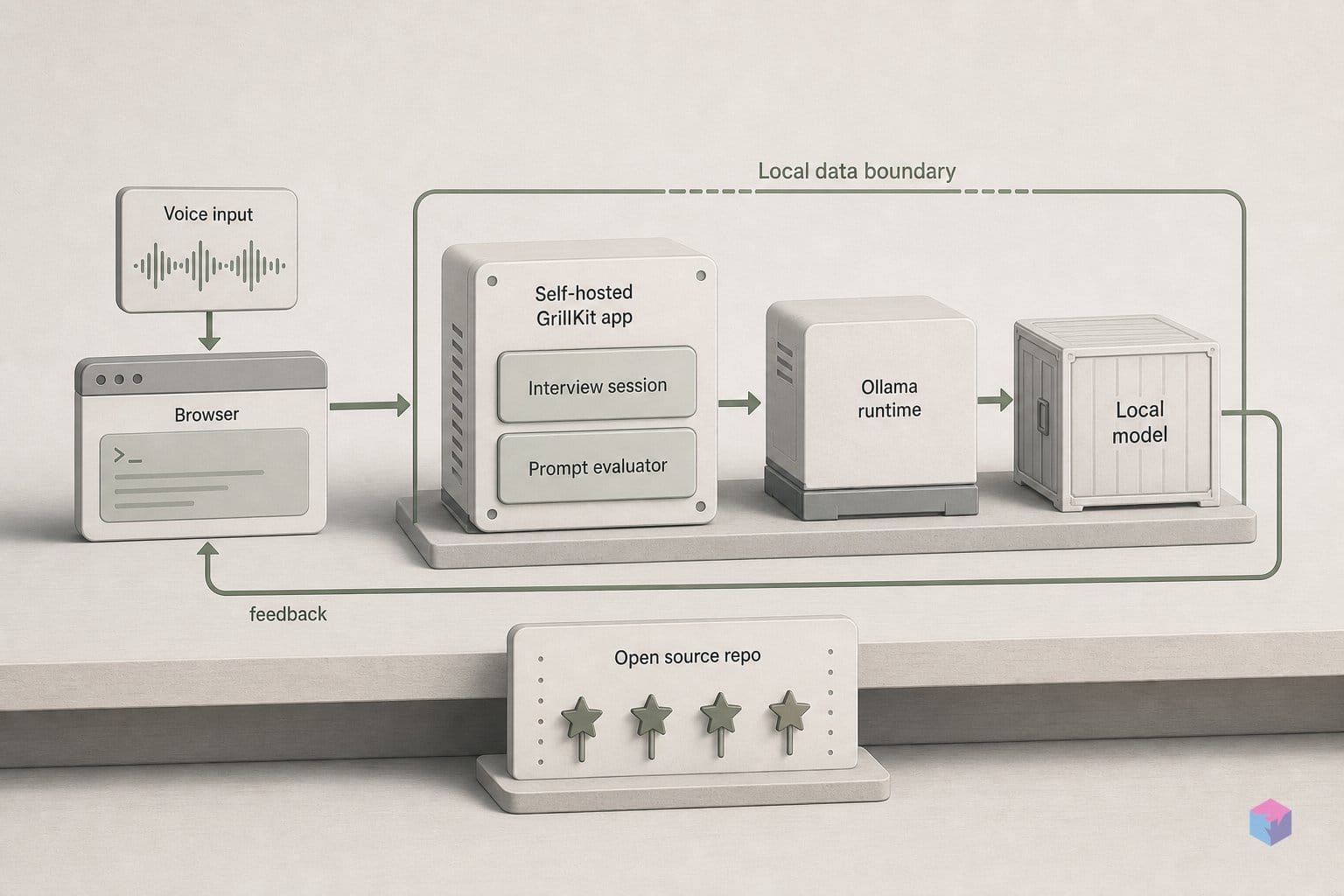
GrillKit talks to language models through a single OpenAI-compatible adapter, so you choose the backend by changing a URL, not the code. Point the provider at http://localhost:11434/v1 to use a local Ollama install, and the same configuration path accepts OpenAI, vLLM, or any other service that exposes a compatible /v1 endpoint . That one abstraction is what lets the same interview session run fully in the cloud, fully on your machine, or in a hybrid setup.
Which models GrillKit knows about lives in a catalog file, data/llm_models.json, introduced in release 2026.5.24 alongside the timer and offline Whisper input . Each entry registers a model you can pick at setup. To let a model receive raw audio rather than a transcript, set the accepts_audio_input: true flag on its catalog entry — the per-model audio flag added in 2026.5.31 . Leave it off for the common case where Whisper transcribes first and the model only ever sees text.
The backend you pick decides where your interview data goes. With a cloud provider such as OpenAI, every round transmits the prompt, your spoken answer's transcript, and the scoring payload to that provider's servers . For practice on real questions about your own systems, that is the trade-off to weigh: convenience and model quality against handing your interview history to a third party on each scoring call.
The fully local path closes that gap. Run an OpenAI-compatible local model — Ollama or vLLM — together with faster-whisper for transcription and Piper for question audio, and no part of an interview session leaves your machine from first question to final score . This is the configuration that makes GrillKit's local-first claim concrete rather than aspirational.
| Backend | Provider URL | Data leaves your machine? |
|---|---|---|
| Ollama (local) | http://localhost:11434/v1 | No |
| vLLM (local/self-hosted) | Your /v1 endpoint | No (if on your network) |
| OpenAI (cloud) | OpenAI /v1 | Yes — prompt, transcript, scoring payload each round |
| Any compatible API | Any /v1 URL | Depends on host |
Because the adapter is provider-agnostic, you can start against a cloud model to validate your setup, then switch the URL to a local endpoint once you want privacy — no migration, no code change.
Pre-Loaded Interview Topics: Kafka, Kubernetes, Observability, and More
GrillKit ships with nine pre-loaded interview tracks, so you can start practicing without authoring a single question. The architecture documentation lists the top-level tracks as Python, Database/SQL, System Design, Kafka, RabbitMQ, Docker, Kubernetes, Observability, and Airflow . That spread covers both language fundamentals and the distributed-systems and platform topics that dominate senior backend and SRE loops.
The newest release deepened that catalog rather than just widening it. Release 2026.5.31, dated May 31, 2026, expanded the Kafka, RabbitMQ, Docker, Kubernetes, Observability, and Airflow banks and added both English and Russian question entries . If you last looked at an earlier build that was Python- and SQL-heavy, the messaging and orchestration tracks are now materially fuller.
| Track | Expanded in 2026.5.31? |
|---|---|
| Python | No (shipped at first release) |
| Database/SQL | No (shipped at first release) |
| System Design | Added in 2026.5.31 |
| Kafka | Yes |
| RabbitMQ | Yes |
| Docker | Yes |
| Kubernetes | Yes |
| Observability | Yes |
| Airflow | Yes |
Localization is partial. GrillKit recognizes the locale codes en, ru, fr, es, and de, but the architecture docs are candid that many entries still fall back to English in non-English locales .
"Many question-bank entries currently fall back to English," — GrillKit ARCHITECTURE documentation (source: GrillKit/grillkit).
The practical detail for teams: the question banks are plain YAML files. Adding your own questions for a proprietary interview format — a house system-design rubric, a company-specific Kubernetes scenario — is a file edit, not a code change . You can fork the shipped banks, drop in a custom track, and keep it private to your deployment.
Standing Up GrillKit with Docker Compose
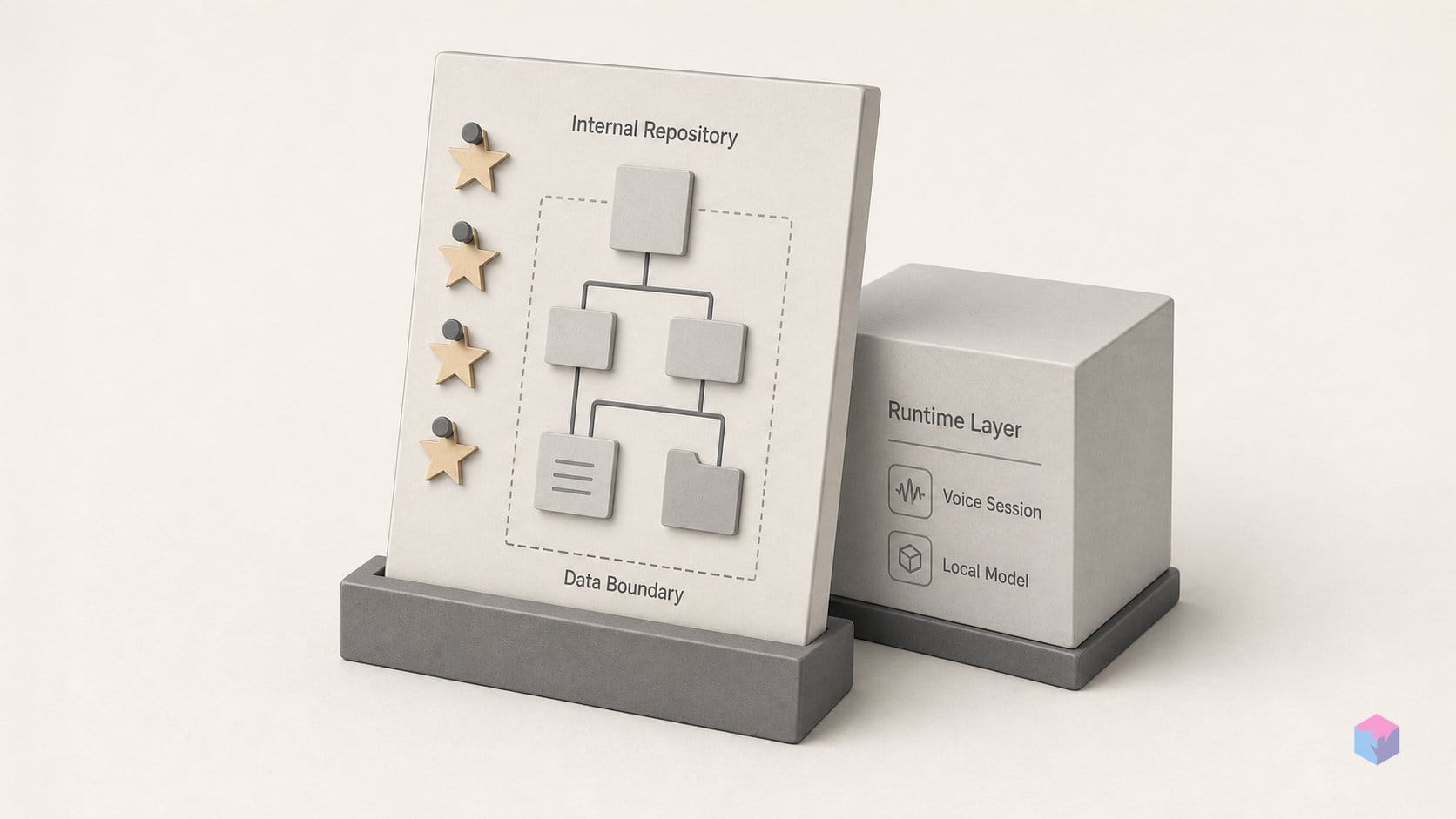
Standing up GrillKit takes one clone and one docker compose up. Clone from github.com/GrillKit/grillkit — not the README's quick-start command, which still points at the placeholder github.com/yourusername/grillkit.git rather than the live org repository . Compose builds the FastAPI app and publishes it on port 8000, so the interview UI is reachable at http://localhost:8000 once the container is healthy .
Persistence is handled by a single bind mount. The Compose file maps ./data:/app/data and stores the default SQLite database at sqlite:////app/data/db/grillkit.db, which means your past sessions, scores, and configured providers survive a container rebuild as long as that host directory does .
Three environment variables carry the weight:
DATABASE_URL— override the default SQLite path if you point at another backend .PUID/PGID— set the user and group that own files written into the mounted./datavolume, so the container does not leave root-owned artifacts on your host .HF_TOKEN— authorizes the Hugging Face download of the Whisper model used for voice transcription .
If you would rather skip Docker, the bare-metal path is a conventional Python stack. You need Python 3.12+, and the pinned dependencies include FastAPI 0.136.1, Uvicorn 0.47.0, SQLAlchemy 2.0.49, faster-whisper 1.2.1+, piper-tts 1.4.2+, OpenAI 2.38.0, Pydantic 2.13.4, and Alembic 1.18.4+ for schema migrations . Run the Alembic migrations on first start so the database schema matches the code — the 2026.5.31 release introduced Alembic precisely to manage that .
On code quality, the project ships CI rather than promises. The GitHub Actions workflow runs Ruff (ruff check plus a format check), mypy for type checking, and pytest on every push to main and on pull requests . For an 11-commit, three-release project, having lint, types, and tests gated from the start is a reasonable signal of maintenance discipline .
No Auth by Default: Read This Before Putting It on a Network
GrillKit ships with no authentication layer, so treat it as a single-user tool on a machine you control rather than something to expose on a shared or public network. The project's SECURITY policy states plainly that there is no login system and that WebSocket connections run unencrypted over plain HTTP unless you place them behind HTTPS in production . On localhost that is fine; on a LAN or a public IP, anyone who can reach port 8000 can open and read your sessions.
"GrillKit is designed for local or self-hosted single-user use. There is no authentication system, and WebSocket connections are unencrypted over HTTP unless placed behind HTTPS." — GrillKit SECURITY policy (source: SECURITY.md)
If you do need it reachable beyond your own machine, put a reverse proxy in front of it and do not skip the basics:
- HTTPS termination — front the app with nginx, Caddy, or Traefik so WebSocket traffic is encrypted, since the app itself does not do this .
- Authentication — add HTTP basic auth at the proxy at minimum; the app will not gate access for you.
- Scope — bind to localhost or a trusted network and avoid mapping the container's port 8000 to a public interface .
One more boundary worth naming: running the web app locally does not make your data local. If you point GrillKit at a cloud LLM, every prompt, transcribed answer, and scoring context still traverses that provider's API. Full privacy requires an OpenAI-compatible local model such as Ollama or vLLM serving the requests .
The takeaway: GrillKit is an interview trainer that assumes a single trusted operator. Keep it on your own machine with a local model and it stays fully private; expose it without a proxy, HTTPS, and auth, and you are publishing your practice sessions to whoever finds the port.
Frequently asked questions
Is GrillKit free and open source?
Yes. GrillKit is released under the Apache-2.0 license and is free to self-host, with no hosted SaaS tier and no pricing page . There is nothing to subscribe to: you clone the repo, run it on your own hardware, and own every interview session and API key stored in the local database. The trade-off is that all setup, updates, and security are your responsibility.
Can I use GrillKit without sending any data to a cloud service?
Yes — point the OpenAI-compatible adapter at a local endpoint such as Ollama (http://localhost:11434/v1) or vLLM, transcribe voice answers with offline faster-whisper, and generate question audio with Piper . In that configuration nothing leaves the machine. The moment you switch the LLM to a hosted provider like OpenAI, your prompts, answers, and scoring context are transmitted to that provider and the local-only guarantee no longer holds .
What interview topics come pre-loaded?
The architecture documents nine top-level tracks: Python, Database/SQL, System Design, Kafka, RabbitMQ, Docker, Kubernetes, Observability, and Airflow . Because question banks are plain YAML files, you can add your own topics, difficulty levels, and languages by dropping new files into the data directory rather than editing application code.
Does voice mode require a specific kind of LLM?
It depends on the path. Whisper-based transcription works with any LLM: faster-whisper converts your recorded answer to text, which is then sent to whatever model you configured. For a model to receive the audio natively instead, its entry in data/llm_models.json must set accepts_audio_input: true, which only multimodal models support . That audio-input flag and the WAV upload API arrived in release 2026.5.31 on May 31, 2026 .
Is it safe to expose GrillKit on a public URL?
Not without additional hardening. The SECURITY policy states there is no authentication system and that WebSocket connections run unencrypted over HTTP unless placed behind HTTPS, because the tool is designed for local or self-hosted single-user use . Before putting it anywhere beyond localhost, front it with a reverse proxy that terminates HTTPS and enforces authentication; otherwise anyone who finds the port can read your sessions.