v0.1.0b2 in Brief: Sandbox Presets and a Renamed Config Class
Released May 28, 2026 as GitHub tag python-v0.1.0b2 , openai-codex v0.1.0b2 is the second public beta of OpenAI's Python SDK for programmatically driving Codex agents. The headline addition over v0.1.0b1: three named Sandbox presets — READ_ONLY, WORKSPACE_WRITE, and FULL_ACCESS — replacing raw permission strings you previously had to construct by hand. A secondary change, CodexConfig replacing AppServerConfig, is a one-line find-and-replace with no behavioral difference . The package depends on openai-codex-cli-bin pinned to 0.132.0 — the binary is not bundled in the wheel. This is also the first publicly accessible iteration under the openai-codex package name, which was renamed from the internal codex_app_server module in Codex CLI v0.131.0, approximately May 16–18, 2026 .
Quick Answer: Install with pip install openai-codex==0.1.0b2 on Python 3.10+. The key addition over v0.1.0b1 is three named Sandbox presets that control filesystem access. Authenticate headlessly with codex.login_api_key('sk-...'). Pin the exact version — API surface changes between betas with no stability guarantee.
If you used AppServerConfig in any prior code, rename it to CodexConfig — nothing else breaks. Note also that a separate package, codex-sdk-python on PyPI at version 0.117.0 as of March 2026 , follows a distinct versioning track aligned to CLI runtime versions and is not the same library. Don't install both.
Prerequisites and pip Installation
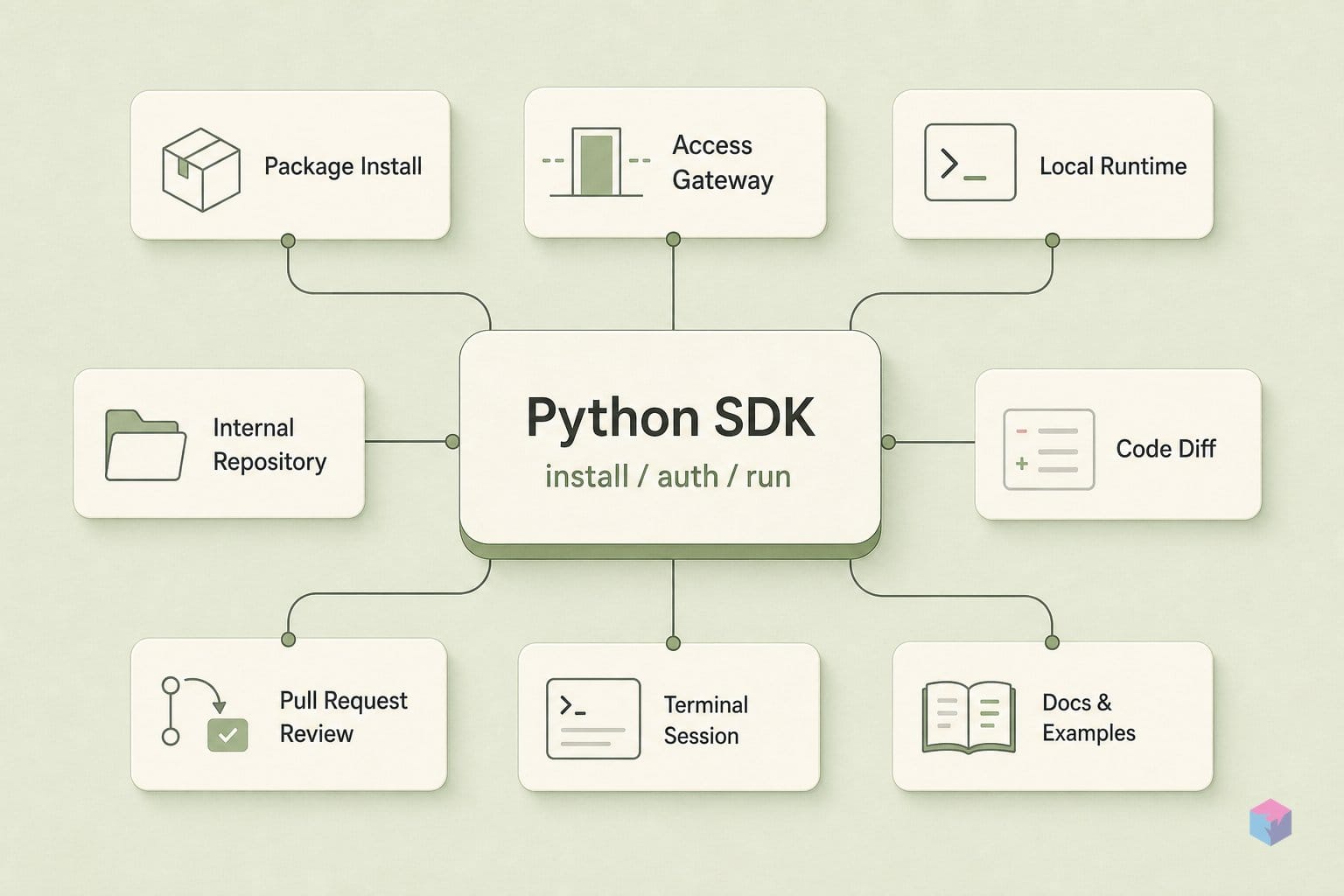
The SDK requires Python 3.10 or later . Confirm your version first, then install pinned to the exact beta:
python --version
pip install openai-codex==0.1.0b2
The wheel pulls in openai-codex-cli-bin as a dependency but does not embed the Codex binary directly. In most environments — macOS, Linux, a typical CI runner — the binary resolves automatically from that companion package. In containers or Jupyter notebooks where you need explicit control, bootstrap the binary before any other call:
from openai_codex import Codex

Codex.install(version="rust-v0.132.0")
No Rust toolchain or additional system dependencies are needed on the consumer side — the binary ships pre-compiled. Verify the install landed correctly:
python -c "from openai_codex import Codex, Sandbox, CodexConfig; print('OK')"Starting a Thread and Reading the Response
The SDK is organized around threads. Each Thread maps to a persistent session stored in ~/.codex/sessions. A single thread.run() call is one turn — one prompt in, one TurnResult out. The TurnResult exposes .final_response (the agent's text reply), .collected_items (all intermediate tool calls in order), .timing, and .usage (token counts) . Here is the synchronous path, step by step:
- Pick the right sandbox preset.
FULL_ACCESSis the default but grants unrestricted filesystem access. For most coding tasks that touch your project,WORKSPACE_WRITE(writes inside CWD only) is the appropriate choice. UseREAD_ONLYfor analysis and auditing tasks where no writes should occur. - Inspect the result.
result.final_responseis the agent's final text.result.collected_itemsgives you every intermediate tool call — useful for auditing exactly what the agent read or modified.
Resume the thread in a later session. Save result.thread_id after the first turn. In a new Python process, call codex.resume_thread(thread_id):
thread_id = result.thread_id  # persist this string

# in a later session:
thread = codex.resume_thread(thread_id)
result = thread.run("Continue from where we left off.")
Open the context manager and start a thread. Always use Codex() as a context manager — it manages the underlying process lifecycle. Pass a Sandbox preset at thread_start():
from openai_codex import Codex, Sandbox

with Codex() as codex:
    thread = codex.thread_start(sandbox=Sandbox.WORKSPACE_WRITE)
    result = thread.run("Explain this repository in three bullets.")
    print(result.final_response)
    print(result.usage)   # token counts
Async path. For non-blocking applications, use AsyncCodex. Do not mix Codex and AsyncCodex instances in the same event loop:
from openai_codex import AsyncCodex
import asyncio

async def main():
    async with AsyncCodex() as codex:
        thread = await codex.thread_start(model="codex-1")
        result = await thread.run("Refactor this module for clarity.")
        print(result.final_response)

asyncio.run(main())
Streaming. For long-running agent turns, run_streamed() yields incremental events. Poll event.type — "turn.delta" for partial text, "turn.completed" for the final usage summary:
streamed = await thread.run_streamed("Diagnose the CI failure")
async for event in streamed.events:
    if event.type == "turn.delta":
        print(event.content, end="", flush=True)
    elif event.type == "turn.completed":
        print("\nUsage:", event.usage)
The end-to-end snippet below creates a fresh venv, installs the SDK, and runs a smoke test. It is illustrative — it was not executed against the live API at article generation time due to network constraints — but the install path and import are accurate for v0.1.0b2:
import os
import subprocess
import sys
from pathlib import Path

if not os.getenv("CODEX_DEMO_VENV"):
    venv = Path(".codex-demo-venv")
    subprocess.check_call([sys.executable, "-m", "venv", str(venv)])
    py = venv / ("Scripts/python.exe" if os.name == "nt" else "bin/python")
    subprocess.check_call([str(py), "-m", "pip", "install", "-q", "openai-codex==0.1.0b2"])
    os.execve(str(py), [str(py), __file__], {**os.environ, "CODEX_DEMO_VENV": "1"})

from openai_codex import Codex

with Codex() as codex:
    if os.getenv("OPENAI_API_KEY"):
        codex.login_api_key(os.environ["OPENAI_API_KEY"])
        print("authenticated with OPENAI_API_KEY")
    else:
        print("using existing Codex auth")

    thread = codex.thread_start()
    result = thread.run("Reply with exactly: Codex SDK OK")
    print(result.final_response)
Authenticating Without a Browser
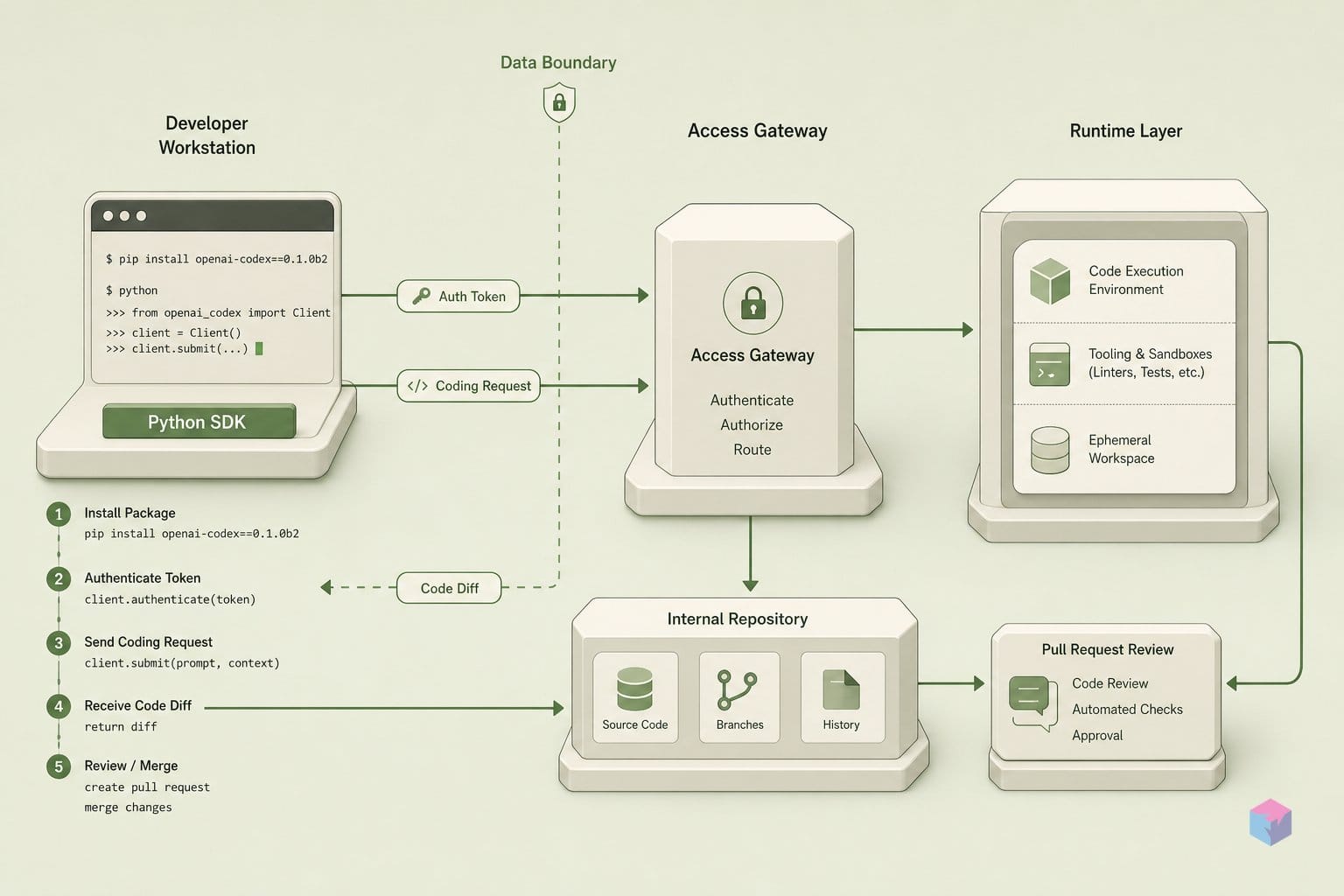
v0.1.0b2 ships four authentication modes covering interactive desktop sessions through fully headless CI containers. First-class auth support landed alongside Codex CLI v0.132.0 . Automatic mode — reusing existing codex login credentials — requires no extra code. For CI or headless containers, the API-key mode is the direct path and requires no browser.
| Mode | Method call | Best for |
|---|---|---|
| Automatic | Codex() — no extra call needed |
Existing codex login session on the machine |
| API key | codex.login_api_key("sk-...") |
CI/headless; standard OpenAI API key, no browser |
| ChatGPT browser | login = codex.login_chatgpt(); print(login.auth_url); login.wait() |
Interactive desktop with a ChatGPT account |
| Device-code | login = codex.login_chatgpt_device_code(); print(login.verification_url, login.user_code); login.wait() |
Non-interactive container with a ChatGPT account |
For fully automated container deployments, set the CODEX_AUTH_JSON environment variable and skip the programmatic login call entirely . The SDK reads it at startup — this is the cleanest path for Kubernetes or Docker pipelines where injecting secrets as env vars is already standard.
Device-code flow is worth noting for restricted environments: login.verification_url and login.user_code print to stdout; a human visits the URL and enters the code, then login.wait() blocks until the flow completes. Once confirmed, the session is stored locally and reused on subsequent runs without repeating the flow.
Rough Edges and Patterns Worth Exploring
A few practical caveats before building on this beta:
- Pin the version. The API surface changes between beta releases with no stability guarantee. Use
pip install openai-codex==0.1.0b2and read the Codex changelog before bumping . Test upgrades in isolation. - Default sandbox is
FULL_ACCESS. If the prompt text is not fully trusted — user-provided input, external data, PR comment bodies — setSandbox.READ_ONLYorSandbox.WORKSPACE_WRITEexplicitly. The Codex CLI v0.135.0 changelog flags this as a security consideration. - Session files accumulate. Every thread persists to
~/.codex/sessions. Prune the directory manually if you run many short test sessions — there is no built-in TTL or cleanup. - Streaming under long turns is undocumented. The
run_streamed()behavior for agent tasks exceeding a few minutes has no documented guarantees in this beta. Treat it as experimental for long-running pipelines. - Pricing and rate limits are not stated in the SDK. They inherit from your Codex subscription tier — check your account dashboard rather than the SDK README.
What to try next: use CodexConfig to set a custom working directory and model selection:
from openai_codex import Codex, CodexConfig, Sandbox

config = CodexConfig(
    model="codex-1",
    working_directory="/path/to/project",
    env={"MY_VAR": "value"},
)
with Codex(config=config) as codex:
    thread = codex.thread_start(sandbox=Sandbox.WORKSPACE_WRITE)
    result = thread.run("Audit the test coverage.")
    print(result.final_response)
For structured output, pair run() with a Pydantic v2 schema via output_schema=MyModel.model_json_schema() and validate with MyModel.model_validate_json(result.final_response). Wiring run_streamed() into a FastAPI SSE endpoint is a natural next step for developer-facing tools that surface real-time agent output. The full API surface is documented in the SDK source on GitHub and the PyPI release page.
Frequently Asked Questions
Does pip install openai-codex also install the Codex CLI binary?
No. The wheel declares openai-codex-cli-bin as a dependency but does not bundle the binary itself. In most environments the dependency resolves and installs the binary automatically. In containers or notebooks where you need explicit control over the bootstrap, call Codex.install(version='rust-v0.132.0') before any other SDK call. If the binary is missing, most SDK methods will raise immediately with a clear error.
Can I use a standard OpenAI API key instead of a ChatGPT account?
Yes. codex.login_api_key('sk-...') accepts a standard OpenAI API key and works in headless CI without any browser interaction. Set OPENAI_API_KEY as an environment variable and call codex.login_api_key(os.environ["OPENAI_API_KEY"]) in your startup code. This is the recommended path for automated pipelines and container deployments.
What is the difference between Sandbox.READ_ONLY and Sandbox.WORKSPACE_WRITE?
Sandbox.READ_ONLY permits the agent to read files but not write or modify them — appropriate for analysis, code review, and question-answering tasks where you want a zero-write guarantee. Sandbox.WORKSPACE_WRITE allows writes inside the current working directory only, which covers most coding and refactoring tasks. Sandbox.FULL_ACCESS is the default and is unrestricted — use it only when you fully control and trust the input prompt.
How do I continue a thread from a previous Python session?
Save result.thread_id (a string) after the first turn — to a database, file, or environment variable. In a new Python session, instantiate Codex() as usual, then call codex.resume_thread(thread_id) to reload the conversation. Sessions are stored on disk in ~/.codex/sessions and persist across Python restarts. Prune that directory periodically if you run many short test threads, as there is no automatic cleanup.
Is openai-codex v0.1.0b2 stable enough for production?
It is a public beta with no API stability guarantees between beta versions, as noted on the PyPI release page . The right approach: pin openai-codex==0.1.0b2, monitor the Codex release log, and test any version bump in isolation before shipping. For workloads that cannot tolerate breaking API changes, wait for the 1.0 release.
What to Do With It Now
Two things in v0.1.0b2 are immediately actionable. First, if you have existing code that passes raw permission strings to the Codex SDK, swap them for the named Sandbox presets — it is a one-line change per thread that meaningfully reduces filesystem blast radius and makes intent explicit in code review. Second, if you are running Codex in CI, the login_api_key() path eliminates the browser-auth workaround and makes the authentication model match how you handle every other API key in your pipeline.
The versioning scheme is now decoupled: pyproject.toml carries version = "0.0.0-dev" in source, and the published version is injected from the python-v* git tag at release time . This means beta releases can ship faster without requiring source-tree commits for each version bump. Track the v0.1.0b2 release notes and the official SDK docs for the shape of 1.0 — the cadence is likely to accelerate from here.
Last updated: 2026-05-31. Based on openai-codex v0.1.0b2 on PyPI and the Codex CLI v0.135.0 changelog reviewed on this date.